Seen on every tracking screen
Each person following a box you shipped sees your name, your next stop, a link to your page and, if you take requests, a pickup button.
Showcase · add-on
Showcase puts your paquetería where your customers already are: on the screen where they track their box, in the Paquetería Ya app's search, and one tap from asking you for a pickup.
Every box you ship goes out with a tracking link, and the person on the other end opens it again and again until the box arrives. Showcase turns those visits into your next customers. Every tracking screen you send carries a Shipped with card with your name, your next stop and a button to your page, so the people already following a box from you know where to find you next.
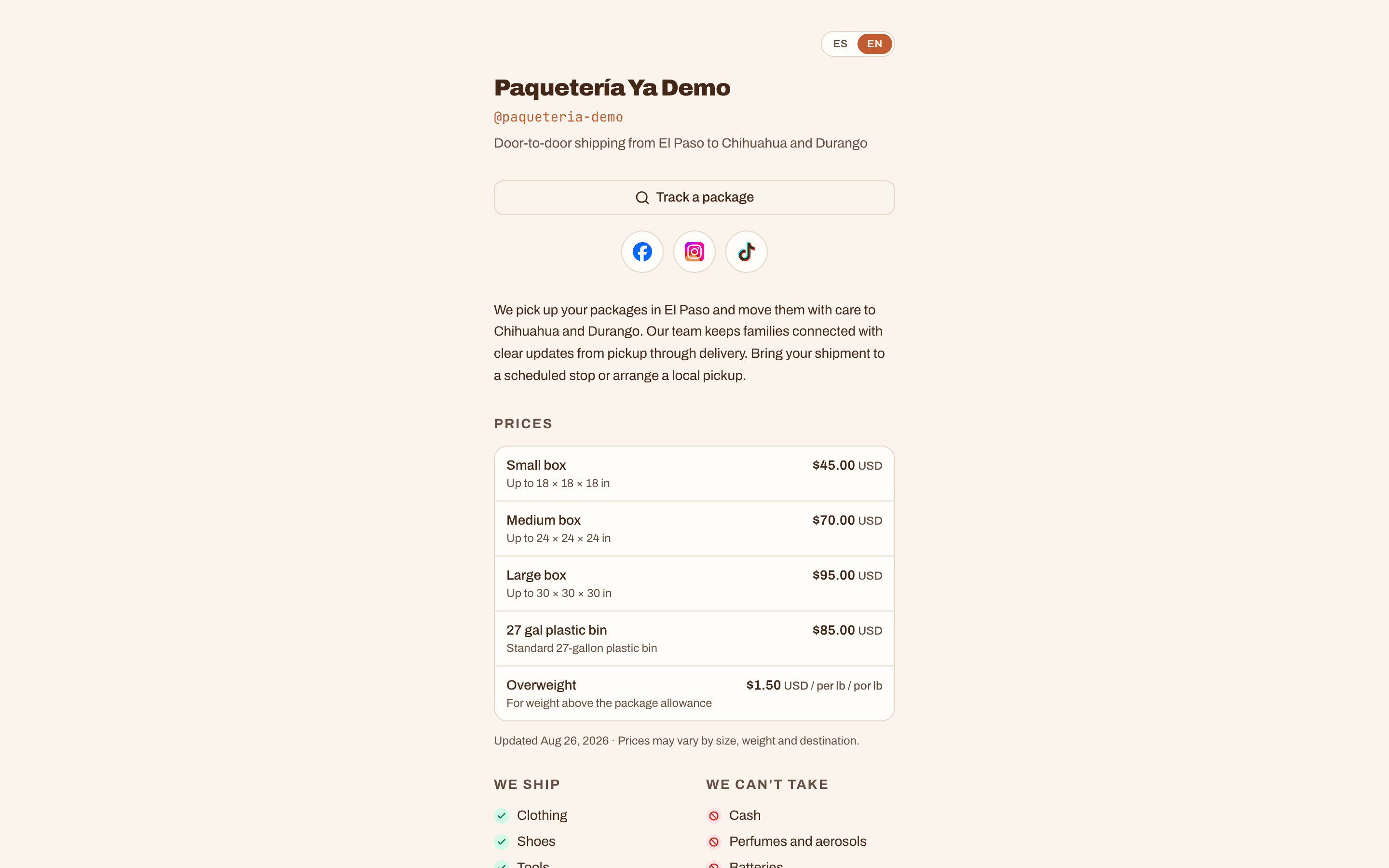
Showcase also puts your public page online at paqueteriaya.com/@your-business. It carries your prices the way you quote them, what you ship and what you cannot take, your terms, your upcoming collection stops with add to calendar buttons, a WhatsApp button and your social links, in English and Spanish. In the free Paquetería Ya app, customers find you by your handle or by typing part of your name, see how soon you pick up and the areas you cover, and save you as a favorite.
When a customer wants you to come by, they send a pickup request from the app with their name, phone, address, how many boxes and when. It lands in Pickup requests on the web and in the Paquetería Ya Staff app, with a notification, and you confirm, decline or mark it picked up. Tracking itself is not part of Showcase. Codes, QR labels, WhatsApp confirmations and the tracking page stay free in every plan.
What Showcase adds
You already send every customer a tracking link. Showcase makes each one work for you twice, once to follow the box and once to bring in the next one.
Each person following a box you shipped sees your name, your next stop, a link to your page and, if you take requests, a pickup button.
Customers find your page by your name or your handle, with your prices and the areas you pick up from.
No more calls asking when you are coming. Confirm each request from the web or from your phone.
Claim your handle, add your prices, your rules and your stops, and press update. Building and previewing it is free in every plan.
The owner turns it on from Billing on the web. Your published page goes live right away, and so does the Shipped with card on your tracking screens.
Switch on Show my business in app search and Accept pickup requests in the app, then say how soon you pick up and which areas you cover.
Confirm, decline or mark requests picked up from Pickup requests, on the web or in the Paquetería Ya Staff app. Each new one sends you a notification.
Tracking codes, QR labels and the WhatsApp confirmation at drop off, on every plan, with or without Showcase.
Customers follow their box in any browser or in the free Paquetería Ya app, with no account.
Reserve your @handle and build your page with a live preview before you turn Showcase on.
Yes, in every plan. Tracking codes, QR labels, WhatsApp confirmations, the public tracking page and tracking in the Paquetería Ya app all work the same with or without Showcase. Showcase adds your page, app search, pickup requests and the Shipped with card on top of that.
It is paused, not deleted. Visitors see your business name and a box to look up a tracking code, the page leaves app search and new pickup requests stop. Your prices, stops and settings stay exactly as you left them, and turning Showcase back on brings the page back instantly.
Your Public page shows Showcase results for the last 30 days: page views, how often you came up in app search, pickup requests and taps from your tracking screens. Views, searches and taps count each phone or browser once a day, so the numbers are approximate. Only totals are kept, never who visited.
Yes, for as long as Showcase stays on. Turn it on by Dec 31 and you pay $99 a month from then on. If you turn Showcase off, or your subscription ends, you lose the early price, and turning it on again later costs the price on offer then.
No. Your page, the Shipped with card and tracking links all open in any browser, in English or Spanish, with no app and no account. The free Paquetería Ya app adds search, favorites and pickup requests for the customers who want them.
Yes. Reserving your handle and writing your page, with a live preview, are free in every plan. You can even publish it, and customers see it the moment Showcase is on.
For thirty days after you first publish, yes, as often as you like. After that it locks, on purpose, because by then the link is on flyers, in WhatsApp groups and on every tracking screen you have sent.
Offered until Dec 31. You keep it for as long as Showcase stays on. New buyers pay $149 a month from Jan 1. Tracking stays free in every plan.
See plans