One record, both countries
The same package row is written at the U.S. counter and read by the driver in Mexico. No second system, no spreadsheet handoff, no re-typing anything at the border.
Press play to follow the trip, the intake crew, the truck, the drivers and the owner through one shared package record.
The same package record follows the work from the U.S. counter to the recipient's door in Mexico.
Every paquetería runs the same shape of week. Customers drop boxes off at your place in Texas, California or wherever you are. The boxes pile up until the truck is worth sending. The truck crosses the border, gets to your hub in Mexico, and from there local drivers take the boxes to the doors. Paquetería Ya follows that exact order, therefore nobody on your team has to learn a new way of working.
The thing everything hangs on is the trip. A trip is one truckload going south. You open one, and from that moment every package you receive files itself into it without anybody assigning anything. When the truck pulls out you mark the trip departed, and the whole load changes status in one tap. When it gets to the hub you mark it arrived, and they all change again.
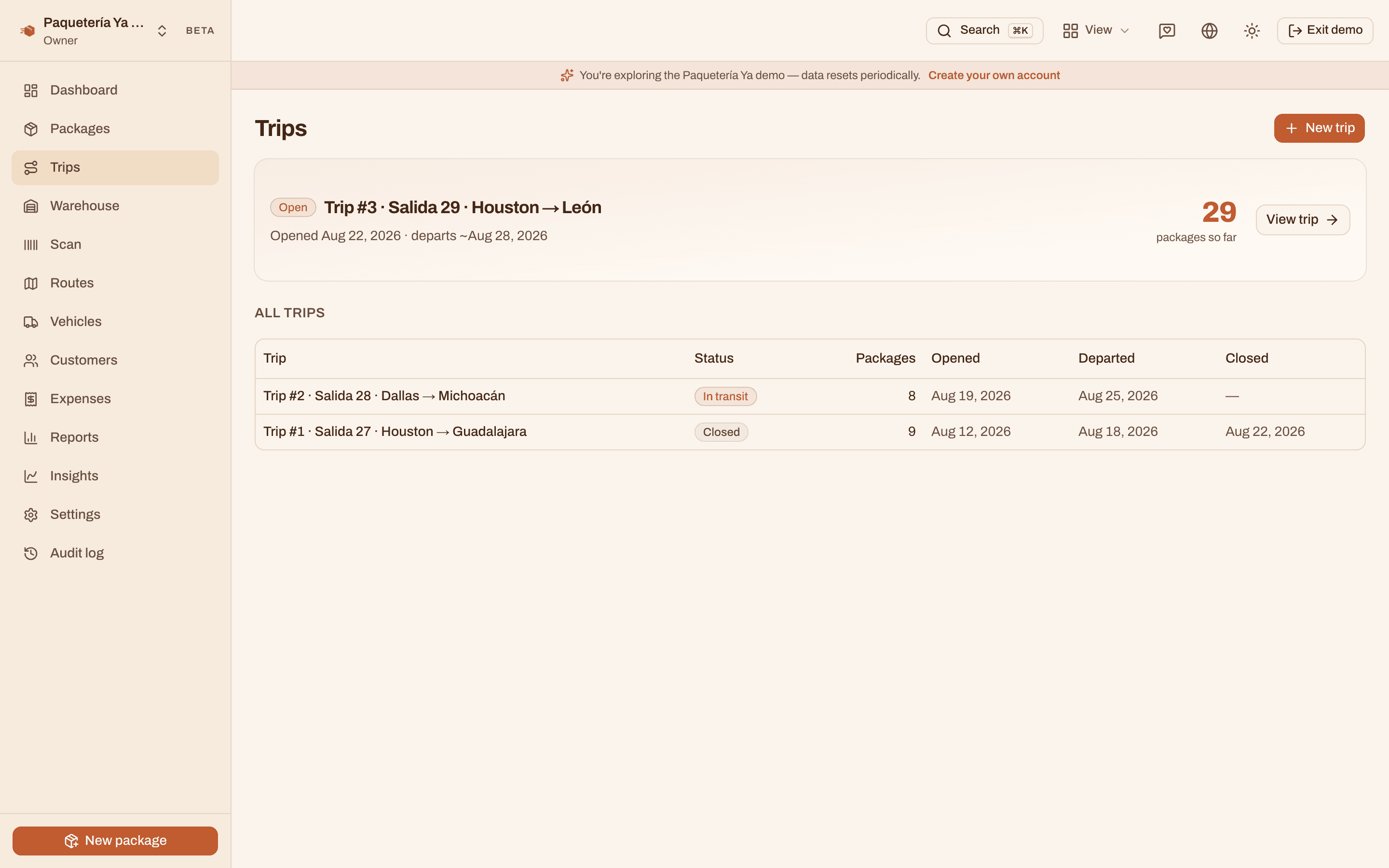
That is the part generic delivery software cannot do. Most of it assumes one warehouse serving one city, so it wants you to update packages one at a time. And that is exactly where the hours and the mistakes go. Here the truck moves as one unit, the way it actually moves in real life.
Meanwhile everybody is looking at the same record, live. When a driver marks a stop delivered in Sinaloa, the office in El Paso sees it right then without refreshing anything. The customer sees it too, on a public page, without an app and without a login. So the phone stops ringing with people asking where their box is.
Before you start receiving, open the trip that is loading now and give it a name and a date. Everything you take in from that point files into it by itself.
With Showcase, a customer who wants you to come by finds your page in the free Paquetería Ya app and requests a pickup. If you accept requests in the app, you confirm it from your Pickup requests inbox. Otherwise the request reaches you on WhatsApp. Either way, you collect the box and receive it like any other.
A customer walks in with a box. You type their name, the rest of the form fills itself, and you pick the box type and size or weigh it, whichever way you charge. A QR label prints at the counter and the customer walks out with a receipt and a WhatsApp confirmation.
Print the truck's QR sheet, scan it once, then scan boxes one after another as they go up. The screen keeps a live count of loaded, remaining and set aside, and it catches the wrong box before it rides eleven hundred miles.
One tap marks the trip departed and moves the whole load to in transit. The trip crosses the border as a unit, so nobody is updating packages one by one on the road.
Mark the trip arrived when it reaches your place in Mexico and every package on it flips at once. Now you can see what is bound for each state and city.
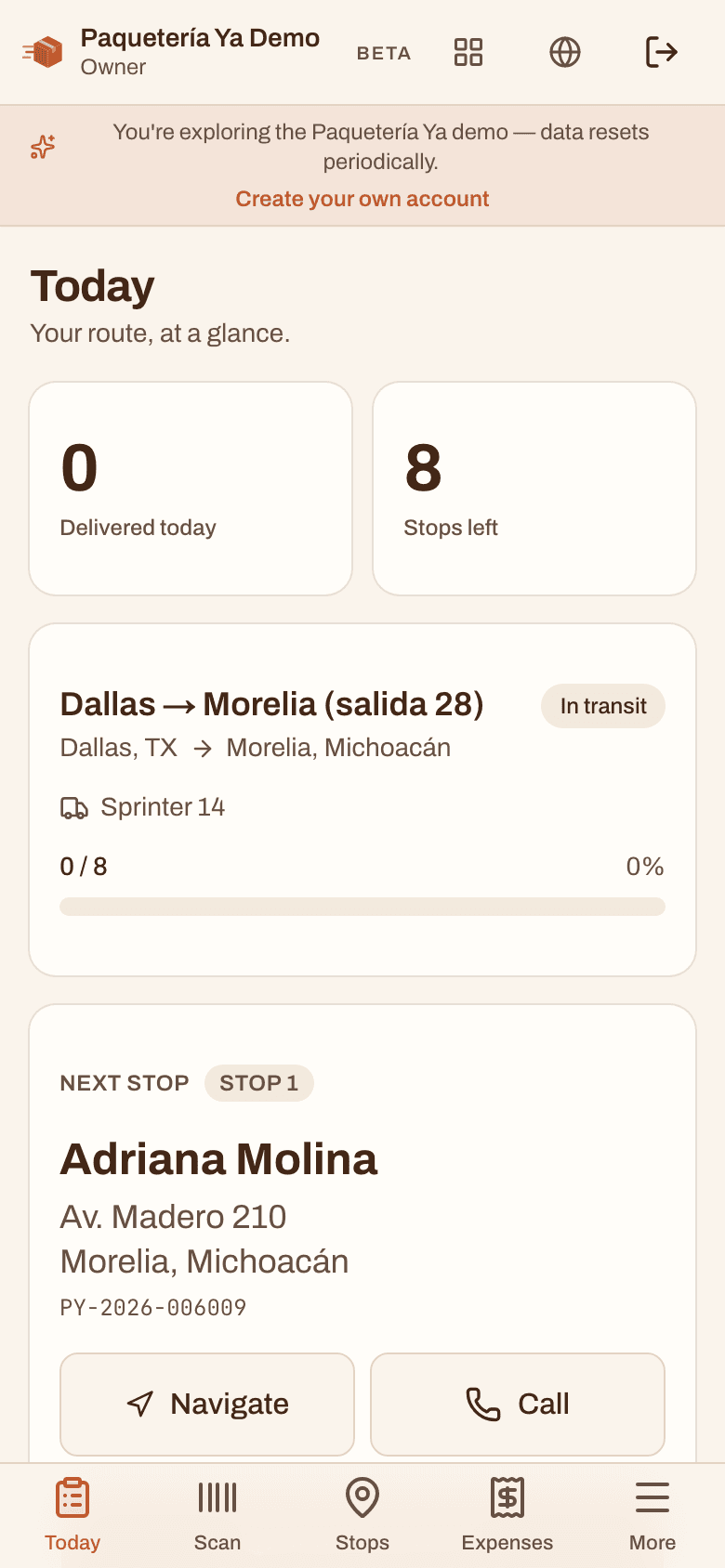
Make the routes right there on the ground, with the stop order worked out on real roads. Drivers open their own phone, see only their stops, and capture a photo and GPS at each door.
The same package row is written at the U.S. counter and read by the driver in Mexico. No second system, no spreadsheet handoff, no re-typing anything at the border.
Received, labeled, loaded, in transit, at the border, crossed, at the hub, out for delivery, delivered and the rest. Most of them advance in bulk with the trip.
Your office can work in English while your drivers work in Spanish inside the same account. Each person picks their language and it follows them to any phone they sign in on.
No, and that is the main point of the trip. Marking a trip departed moves every package on that truck to in transit at once, and marking it arrived flips them all again at the hub. You only touch a single package when something about that one package is different, like a customer changing an address or a box being set aside.
The trip carries the load across as one unit, so the statuses you need for the paperwork are already grouped the way the truck is. Before it leaves you can see exactly what is bound for each Mexican state and city, which is the list you need on hand at the crossing. Once it is through, marking the trip arrived at your hub in Mexico updates everything on board.
Yes, right as it happens. Everything runs on a live backend, so when a driver marks a stop delivered the office screen updates by itself, with no refreshing and no phone call. The delivery photo and the time land on the package's history at the same moment.
No. The recipient gets a tracking code at drop off, printed on the label as a QR and sent over WhatsApp with the tracking link. They open that link in whatever browser their phone already has, in English or Spanish, with no app and no account. The free Paquetería Ya app is optional, for customers who want their packages in one place, and with Showcase they can also find you there and request a pickup.
Most of the setup is telling it how you already work. You put in your box sizes or switch the account to weight, add your team, and open your first trip. After that intake is a few seconds per package because the customer autofill does the typing for you.
Yes. Everything runs in a browser, so there is nothing to install and no hardware to buy. Warehouse staff scan with the phone camera, drivers get a phone first screen with just their stops, and the office can use a laptop or a phone, whichever is nearby.
The demo has a trip still loading, one crossing the border and one already closed, so you can walk the same four stages without setting anything up.
Open the live demo